Capture, annotate, and share
any webpage — in seconds.
WebMend is a free Chrome extension that lets you take full-page screenshots, annotate with arrows, shapes, and text, then download instantly — or send as a bug report to the site owner.
★★★★★ Free forever · Full-page capture · No signup needed

Annotation tools
Built for clarity
Every annotation tool you need, nothing you don't.
- Draw freehand or place precise shapes in one click
- Add text labels anywhere on the screenshot
- Blur or redact sensitive information before sharing
- Resize, reposition, and delete any annotation
- Full-resolution PNG output every time
How it works
Three steps. Under 60 seconds.
Click the toolbar icon
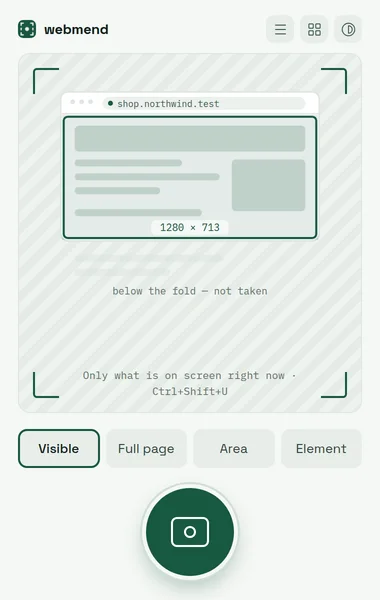
Click the WebMend icon in your Chrome toolbar — or press ⌘+Shift+U (Ctrl+Shift+U on Windows/Linux) — on any page.
Capture the page
Choose a quick viewport screenshot or toggle full-page mode to capture everything, even content below the fold.
Annotate and download
Draw arrows, add text, blur sensitive info — then download your annotated PNG instantly, or send it as a bug report.
Everything included
Packed with features. Completely free.
Why WebMend
Better than your browser's built-in screenshot.
| Feature | WebMend | Browser screenshot |
|---|---|---|
| Annotation tools (arrows, shapes, text) | ✓ | ✗ |
| Full-page capture (below the fold) | ✓ | ✗ |
| Blur / redact sensitive areas | ✓ | ✗ |
| Download as annotated PNG | ✓ | ✓ |
| Send as a bug report to site owner | ✓ | ✗ |
| No account required | ✓ | ✓ |
| 100% free | ✓ | ✓ |
Zero cost
Free forever, no subscription, no credit card. The core extension will always be free.
Privacy first
WebMend only captures when you click. No background monitoring, no tracking of your browsing.
Instant setup
One click from the Chrome Web Store. Works immediately on every website — no configuration needed.
Stop copy-pasting screenshots.
Annotate directly in your browser — then download or send with one click. Free forever.
Add to Chrome – It's FreeNo account. No credit card. Just install and start capturing.