Website QA for web agencies
Every client site, checked page by page.
Broken links, missing images, soft 404s, typos, outdated claims and accessibility issues, on up to 2,000 pages a scan. Every finding comes with a screenshot of the spot, and only your team sees them.
No card. 1 credit scans 1 page.
- No subscription
- Unlimited teammates
- No client DNS access needed
So far
-
Websites scanned
-
Problems found and filed
When agencies scan
Built for the sites you look after, not just the ones you launch.
Care plans and retainers
Check every site on your maintenance plan whenever you choose. One pool of credits covers all of them, so a 40-page brochure site and a 1,500-page catalogue cost what they read.
Find what broke after last month's updates before your client does.
Launch day
The moment the new site is live, read every page for links that still point at staging, images that never moved and pages that 404.
After a redesign
Old URLs that now lead nowhere, menus that lost a page, copy that came across with typos in it.
After plugin, theme or CMS updates
An update that quietly broke a gallery or a form page shows up as broken images and missing pages.
After a content migration
Hundreds of moved pages, each with links and images that may not have made the trip.
Taking over a site
A new client's site, built by someone else. See what is already broken on day one, before it becomes yours.
“Something looks off”
When a client calls about one broken thing, find the rest before the next call.
What a scan checks
Six things your client would notice first.
We read the pages a visitor can open, the way a browser does. Design and speed are not part of it.
Broken links
Inside the site and out. A dead outside link is retried in a real browser before it counts.
Broken images
Images that stopped loading, even when your own cache still shows them.
Missing pages
“Not found” pages that tell Google everything is fine.
Typos
Misspellings in the site's own copy, skipping names, code and quotes.
Outdated claims
A stale copyright year, an event that already happened, old opening hours.
Accessibility
Issues that relate to WCAG 2.2 A and AA, with the element shown. Never a score.
Real findings
Nine things we found on other people’s sites.
Every screenshot came out of a scan we ran. We do not name the sites.
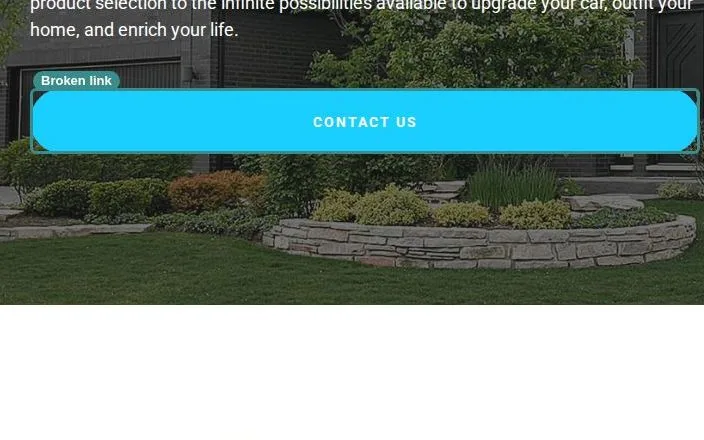
Missing page
The Contact Us button opens a page that says nothing was found — and still answers 200.
A soft 404 leaves no error in the server logs and keeps the dead page indexed, so nobody ever finds out.
A home electronics installer
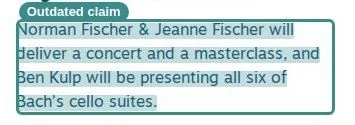
Outdated claim
A news item still promises a concert in the future tense, years after it happened.
Nothing here is broken, so no link checker would ever flag it. It reads to a first-time visitor as a business that stopped paying attention.
A community music school

Broken link
The Get Started button under the jobs block goes nowhere.
Everything above it is doing its job. Every applicant who reads this far and clicks is lost at the last step.
A school transport operator
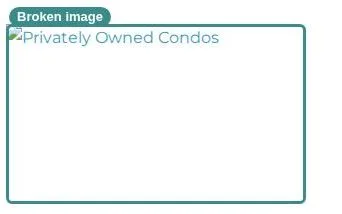
Broken image
The photo is gone, and all a first-time visitor sees is the caption it should have carried.
The owner's own browser still has the old copy cached, so the page looks right to them and grey to everybody else.
A mountain holiday rental agency
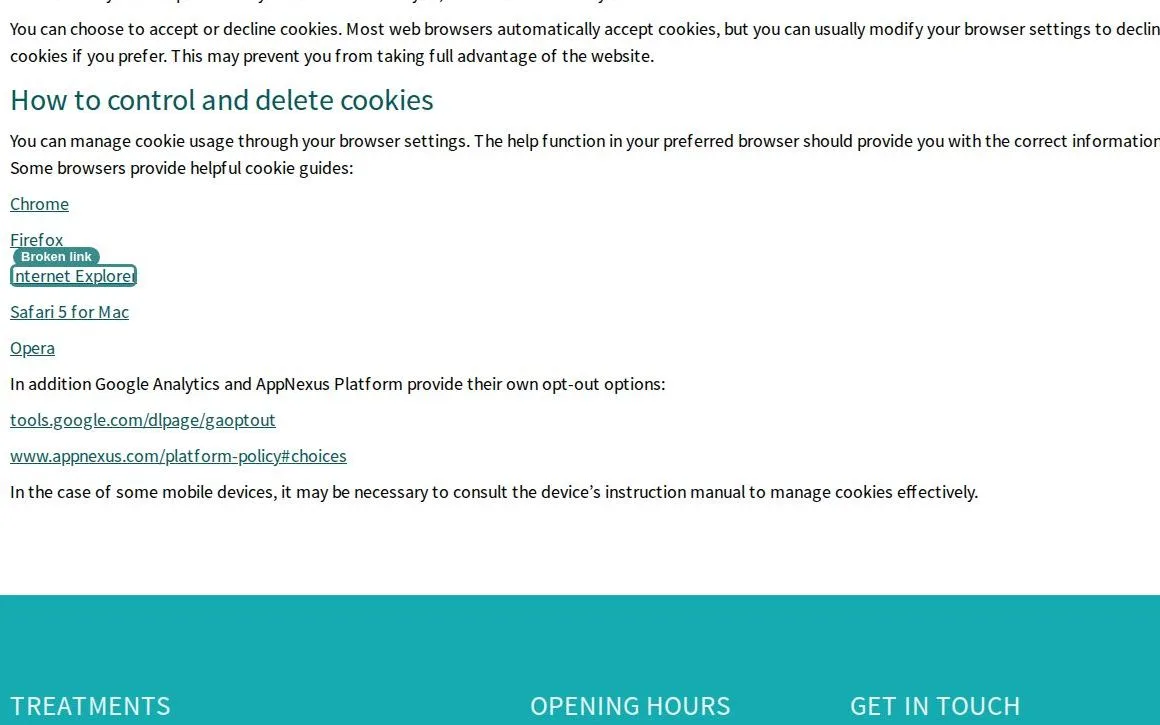
Broken link
A cookie policy points readers at browser help pages, and one of them died with the browser.
Outside links rot quietly. A link that looks dead gets a second look from a real browser here before it ever counts against a site.
A UK dental practice
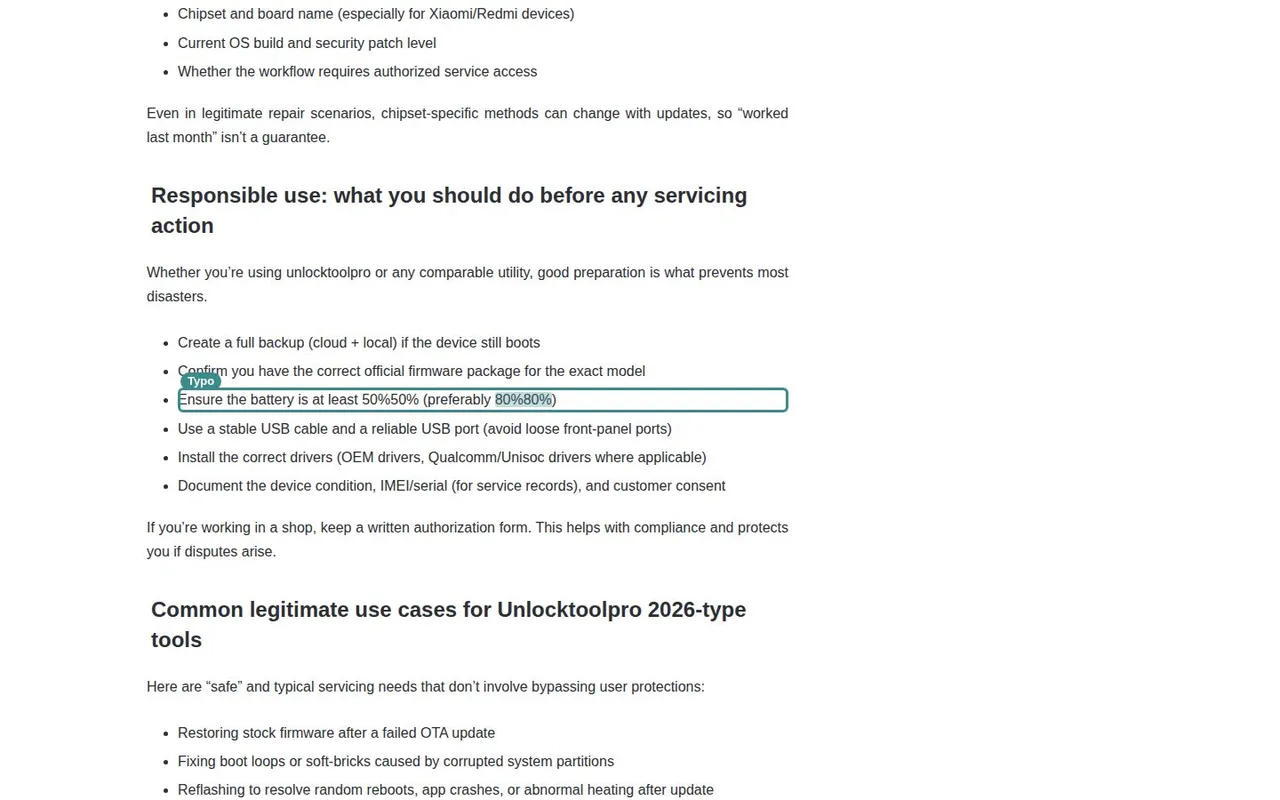
Typo
A number is printed twice inside one instruction, twice in the same line.
A publishing slip nobody re-reads. It sits on a how-to page, which is exactly where a reader is already unsure of themselves.
A phone repair guide site
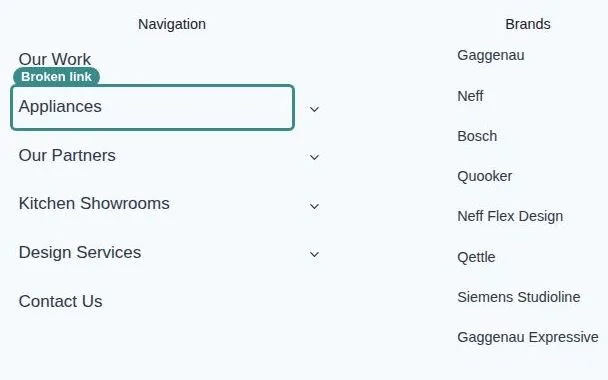
Missing page
A main navigation link sits between five that work, and opens a page with nothing on it.
The page it opens answers 200, so the site's own analytics record a visit and no error at all.
A UK fitted-kitchen showroom
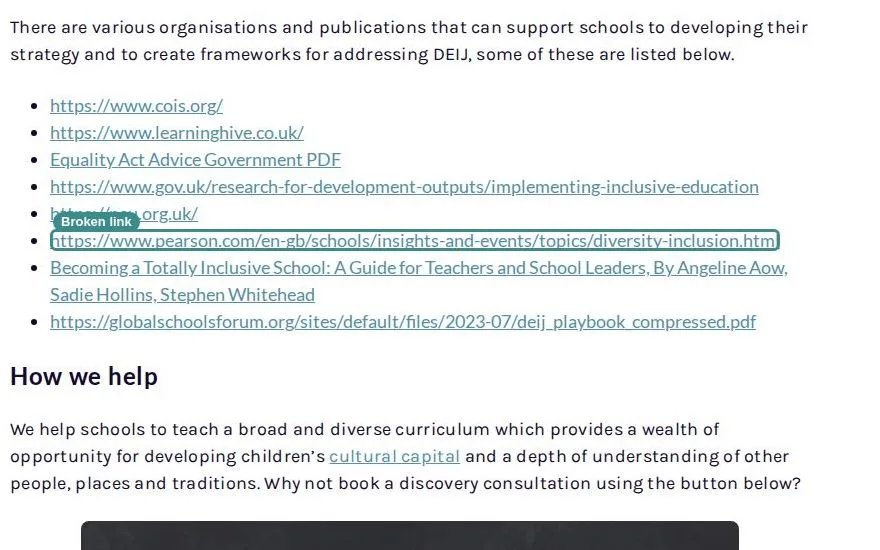
Broken link
One entry in a list of recommended reading is a dead link.
This page is a reference other people cite. A dead entry in it reads as advice nobody has checked since it was written.
A UK primary-schools publisher
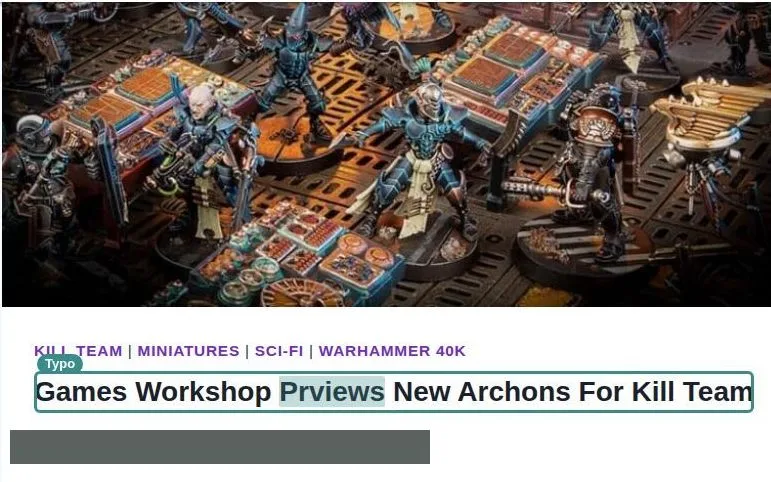
Typo
One letter is missing from a word, in the largest type on the page.
It is the first thing on the article and the line a search engine shows. Nobody proof-reads a headline twice.
A hobby games news site
Findings 1 to 3 of 9
The report
A list your team can work through this afternoon.
- Ranked by how many pages each problem affects
- A screenshot of the exact spot on every finding
- Twelve dead links to one gone site arrive as one item
- Export to PDF or Markdown for your developers
- Copy for AI, or let Claude Code or Cursor read it over MCP
- Re-check only the pages that had findings
client-site.example · 412 pages read
23 findings
- Broken link
“Book a call” leads to a removed page
On 38 pages · footer
- Accessibility
Menu button has no name a screen reader can say
On 412 pages · header · relates to WCAG 4.1.2
- Broken image
Team photo fails to load
On 1 page · /about
Report a problem
“The middle plan says €49 here but €59 at checkout.”
Send with screenshotFree on your clients' sites
Give every client a “report a problem” button.
A scan cannot see a price that confuses people or a checkout that quietly breaks. Your client's team and their visitors can. With the widget on the site, they mark the spot and send it, and it lands in your dashboard next to the scan's findings.
- One script tag, in your client's colour
- Screenshot, page and browser attached
- Webhooks to Slack, Linear or Notion
- Verify the client's domain once
Also free: the Chrome extension and MCP for AI agents.
Pricing
Pay for pages. Not seats, not months.
No subscription
Buy credits when you need them. Nothing renews.
No per-seat pricing
Your whole team, one credit balance — unlimited teammates.
1 credit = 1 page read
A scan we cannot complete uses none. Any site, any time.
Every scan includes
- Up to 2,000 pages, every finding kept
- All six checks, accessibility included
- A screenshot on every finding
- PDF, Markdown and MCP access
- Private to your team
- Usually done within the hour
- Credits stay active as long as you run a scan or buy credits at least once every 12 months.
Why not an AI agent?
A crawler that reads every page, not a guess about a few.
Coverage
Every reachable page, and every link and image on them. An agent reads the pages it is pointed at.
The same checks every run
Links, images, missing pages and accessibility are checked the same way each time, so two scans of a site agree on them.
Proof on every finding
A screenshot and the page it was found on. Then hand the list to your agent to fix.
FAQ
Questions agencies ask.
Run your own site instead? Everything here works the same for an in-house team.
No. Findings are private to your account and the teammates you add to it. Nothing is sent to the site's owner.
No. A scan needs no DNS record and no file on the site. You verify a domain only to put the widget on it and receive its visitors' reports.
One for each page the scan reads. You set a page limit before each scan, up to 2,000; a 40-page site uses 40 credits, and the credits for pages a scan does not read go back to your account.
Yes, if it is public on its own address. A scan reads the pages anyone can open, so a staging site behind a login or a password is out of reach. A subdomain such as staging.example.com is scanned as a site of its own.
Only after a year without use. Credits stay active as long as you run a scan or buy credits at least once every 12 months. We email you 30 days before any expire.
The issues an automated check can decide, each relating to a WCAG 2.2 A or AA success criterion, with the element shown and who it affects. It is not a full audit, never a score and never a compliance claim.
Verify the client's domain once, with a DNS TXT record or a file on the site, then paste one script tag. Reports from the client's team and visitors land in your dashboard next to the scan's findings.
Logged-in pages, and other domains and the subdomains of the one you scan. Design and page speed are not checked.
Your clients' sites, checked page by page.
No card · No subscription · Unlimited teammates